VisualHFT Terminal plugins and integrations
Install and diagnose Core and Pro plugins without confusing Marketplace delivery with the public source-build SDK workflow.
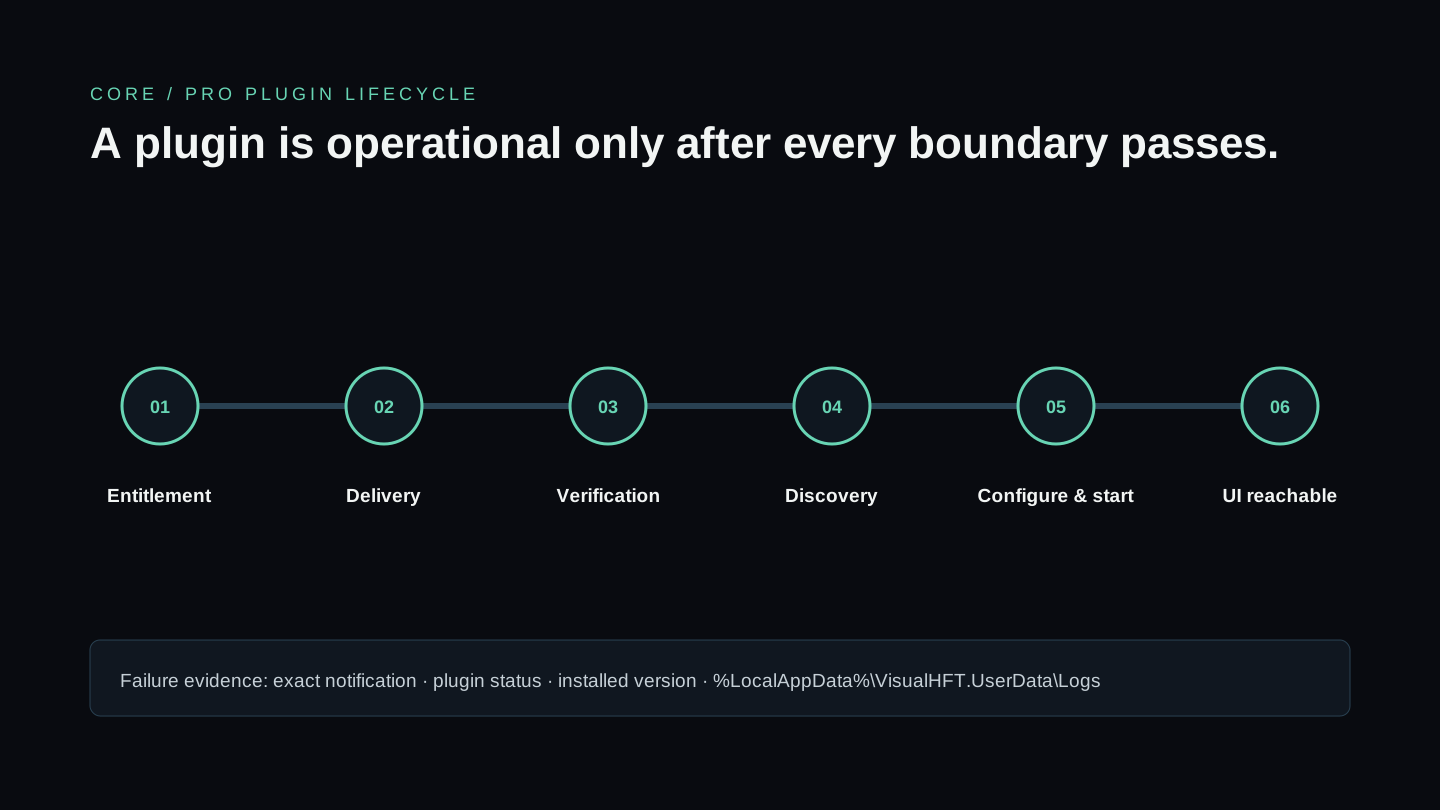
Use this page for plugins delivered to VisualHFT Terminal (Core and Pro). The public repository uses project references and application-directory discovery instead; follow Build a connector or study extension for that workflow.
Plugin types
| Type | Responsibility | Typical input |
|---|---|---|
| Market connector | Connect, parse, normalize, and publish venue data | Exchange WebSocket or API |
| Study | Calculate a metric or diagnostic from shared market data | Order books, trades, positions, or telemetry |
Marketplace can also deliver operational plugins such as Session Recorder and Replay Engine. Their presence in Core or Pro does not make them part of the public SDK or repository.
Install a plugin
- Open Marketplace and locate the plugin.
- Confirm that the account owns the plugin or has the required plan.
- Install or update it through Marketplace.
- Check Plugins Management for a successful load and compatible version.
- Open the plugin settings, configure its inputs, and start it.
- Confirm its window, tile, provider, or study result is reachable from the expected Dashboard surface.
Marketplace packages may be encrypted and declare verified dependencies. Copying a development DLL into the installed application is not a supported substitute for Marketplace delivery and can bypass the package information needed by discovery and trust checks.
Develop against the public SDK
Start with the matching SDK template in the repository:
SDK-StudyTemplate/for analytics and studies;SDK-MarketConnectorTemplate/for exchange or feed connectivity.
Open the pinned extension guide →
SDK development belongs to the open-source build. Start from SDK-StudyTemplate/ or SDK-MarketConnectorTemplate/, inspect a comparable public implementation, and follow the pinned guide. A locally built public extension is not automatically a Marketplace package.
Diagnose a missing plugin
Check the boundaries in order: Marketplace visibility, ownership or plan, release compatibility, download, integrity/dependency verification, load status, configuration, start status, and UI reachability. Preserve the exact notification and consult %LocalAppData%\VisualHFT.UserData\Logs before reinstalling the entire application.
For public contributions, use the repository’s contribution guide. Core and Pro packaging, encryption, and Marketplace publication are separate release processes.
New to VisualHFT? Get Started. New accounts get a 7-day trial.