Troubleshoot an open-source build
Resolve missing OxyPlot projects, undiscovered plugins, and providers that publish no market data.
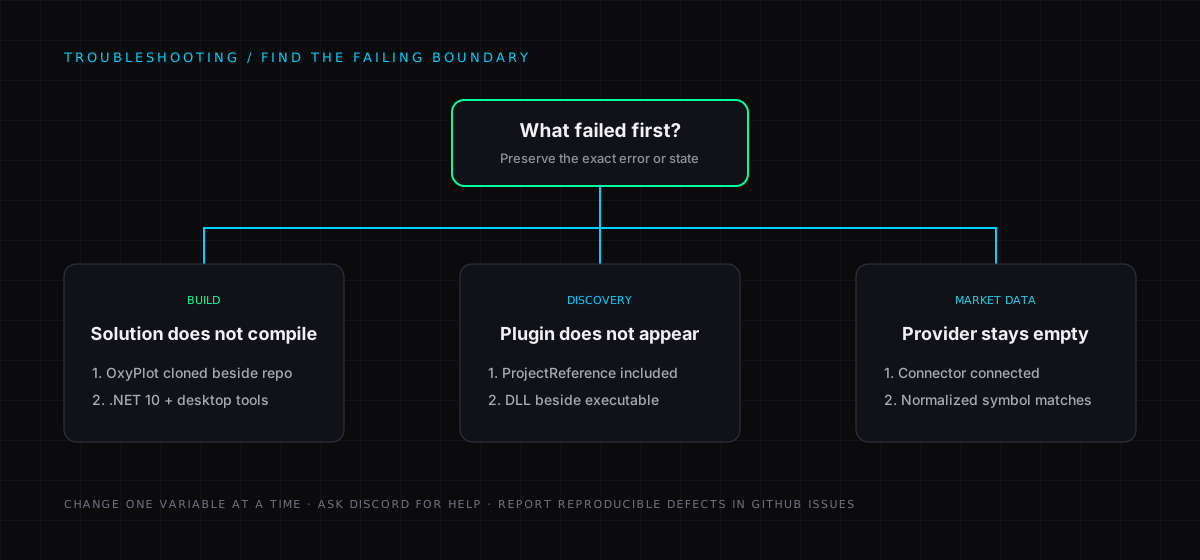
The solution cannot find OxyPlot projects
VisualHFT.csproj uses sibling project references to the VisualHFT OxyPlot fork. Clone https://github.com/visualHFT/oxyplot.git beside this repository, as shown in Getting started, then reload the solution.
A plugin does not appear in VisualHFT
VisualHFT scans the directory containing VisualHFT.exe for plugin DLLs. Add the plugin project as a ProjectReference in VisualHFT.csproj, rebuild the solution, and verify that its output is next to the application executable. See Extending VisualHFT.
A provider shows no market data
Confirm that the connector is started, that its provider status is connected, and that the selected symbol matches the connector’s configured normalised symbol. Check the connector settings for the expected raw-to-normalised symbol mapping.
I need help
- Ask the community in VisualHFT Discord.
- Discuss ideas in GitHub Discussions.
- Report reproducible bugs in GitHub Issues.
New to VisualHFT? Get Started. New accounts get a 7-day trial.