Plugins & Integrations Intermediate
Build a connector or study extension
Start from the public market-connector or study template and make the extension discoverable by the host.
Edition / plan open-source
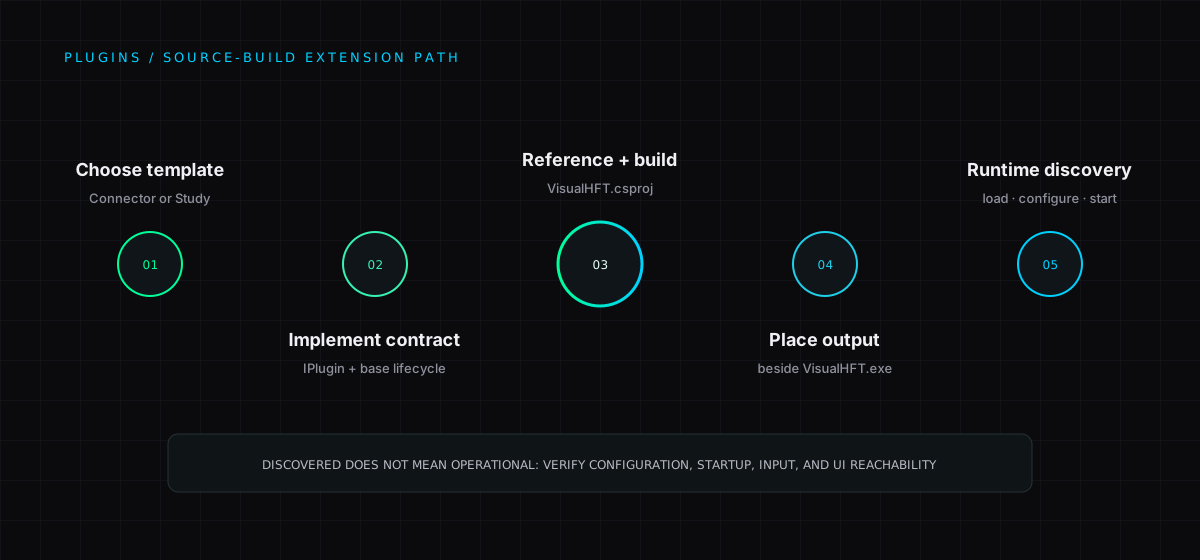
VisualHFT supports two kinds of public extensions.
| Extension | Start here | Purpose |
|---|---|---|
| Market connector | Market Connector Template | Connect a venue and publish normalised market data. |
| Study | Study Plugin Template | Calculate and publish a market-microstructure metric. |
Both templates compile against the current shared plugin APIs. Follow the linked SDK guide in the matching template before changing the scaffold.
Loading an extension
VisualHFT discovers plugin DLLs in the directory that contains VisualHFT.exe. For a source build, add the extension project as a ProjectReference in VisualHFT.csproj, then rebuild the solution. No manual registration is required.
See the architecture overview for the data flow and plugin boundary.
New to VisualHFT? Get Started. New accounts get a 7-day trial.